Redesigning the Factory Floor, From the Ground Up
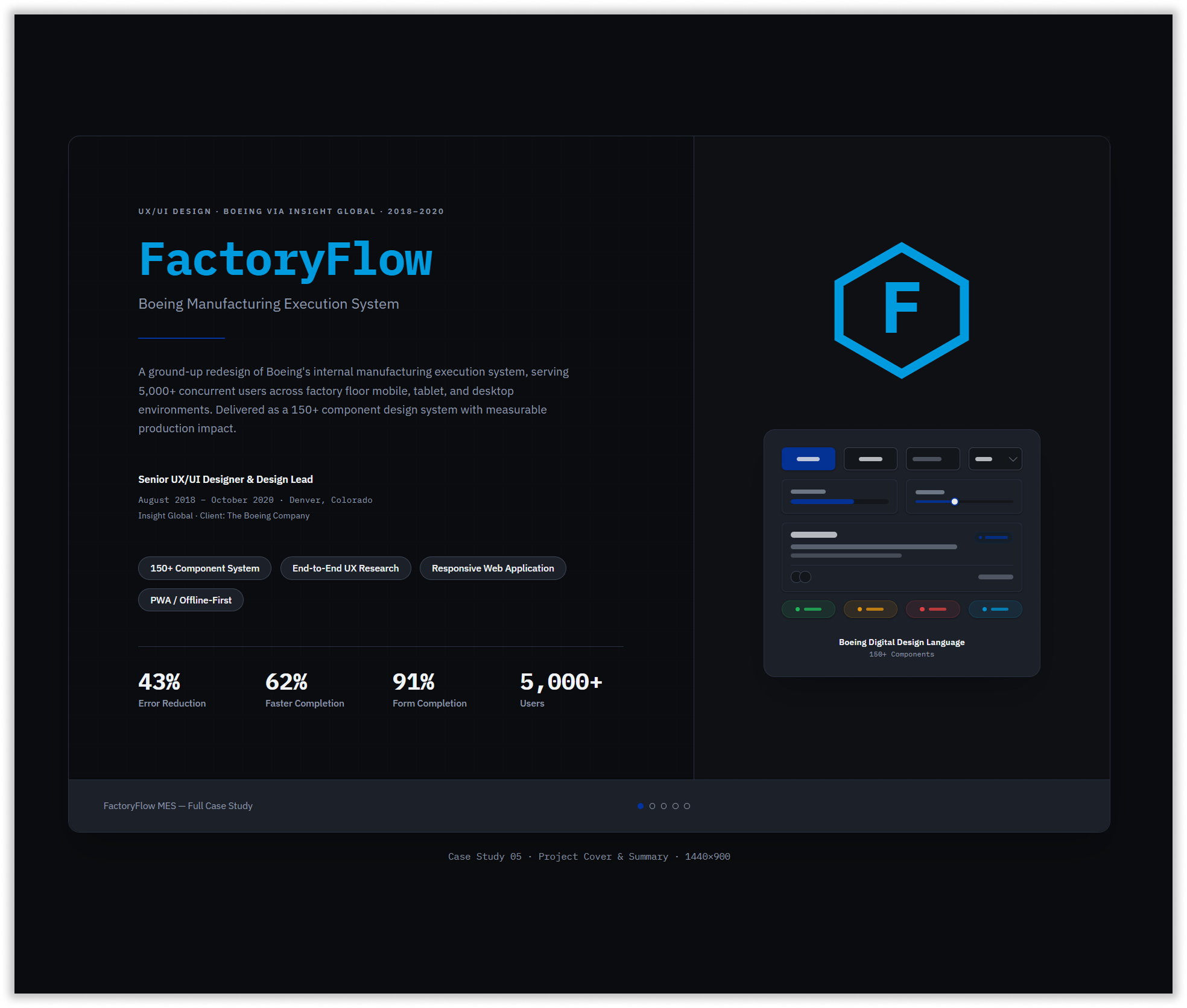
Boeing’s internal manufacturing execution system was the operational backbone of Denver Plant 2 — the platform factory floor technicians relied on to receive work orders, log inspections, capture measurements, and sign off on safety-critical tasks. With 5,000+ concurrent users spanning assembly technicians, quality inspectors, and shift supervisors across desktop, tablet, and mobile devices, the stakes of poor design weren’t measured in frustration — they were measured in production delays, compliance failures, and safety risk.
In 2018, Boeing engaged Insight Global to lead a ground-up UX redesign of the system. As Senior UX/UI Designer and Design Lead, I was embedded directly with the manufacturing operations team in Denver, working alongside engineers, technicians, and supervisors to understand — at ground level — what the system needed to do and why the existing one was failing.
A System Built for Computers, Used by People in Gloves
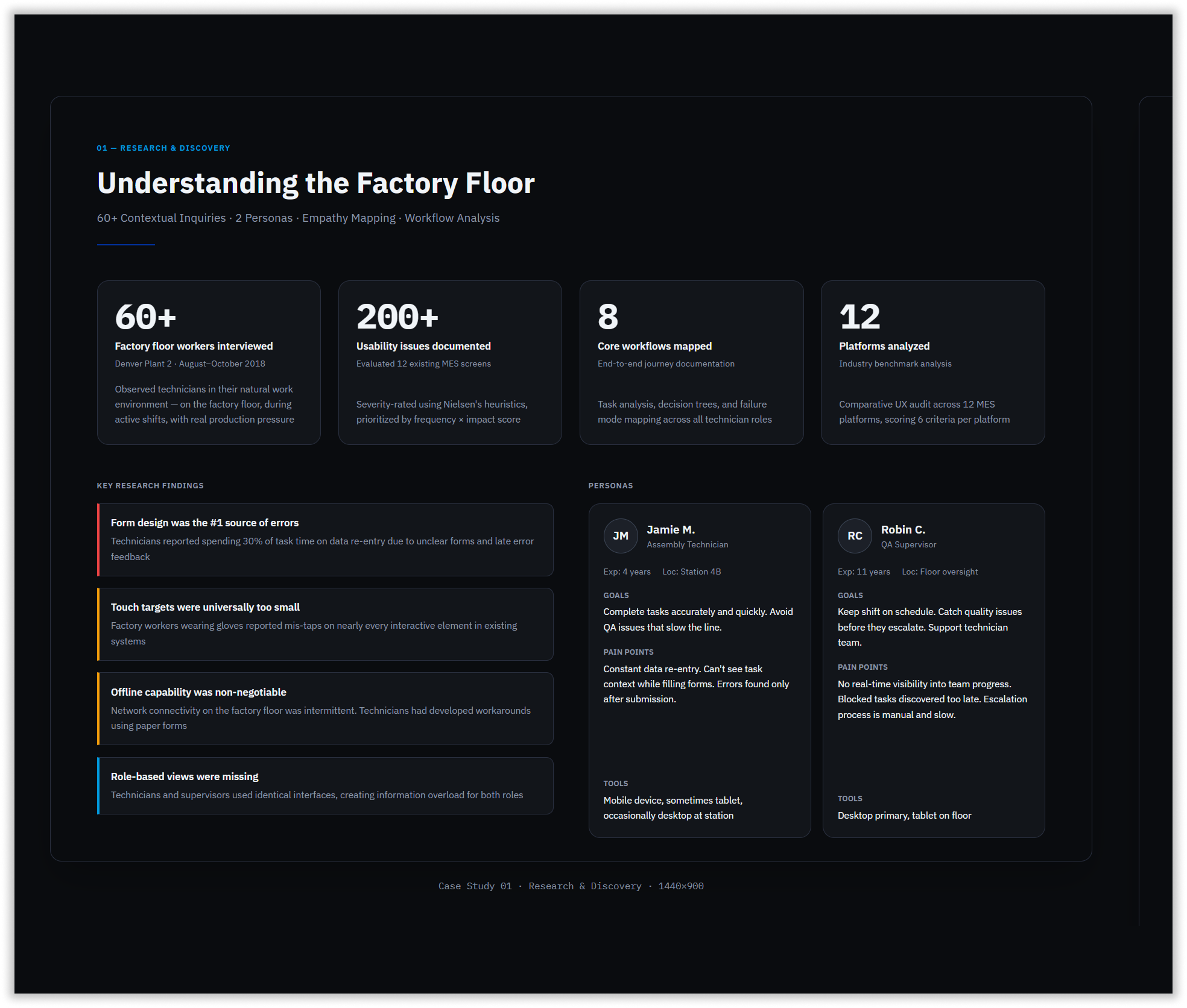
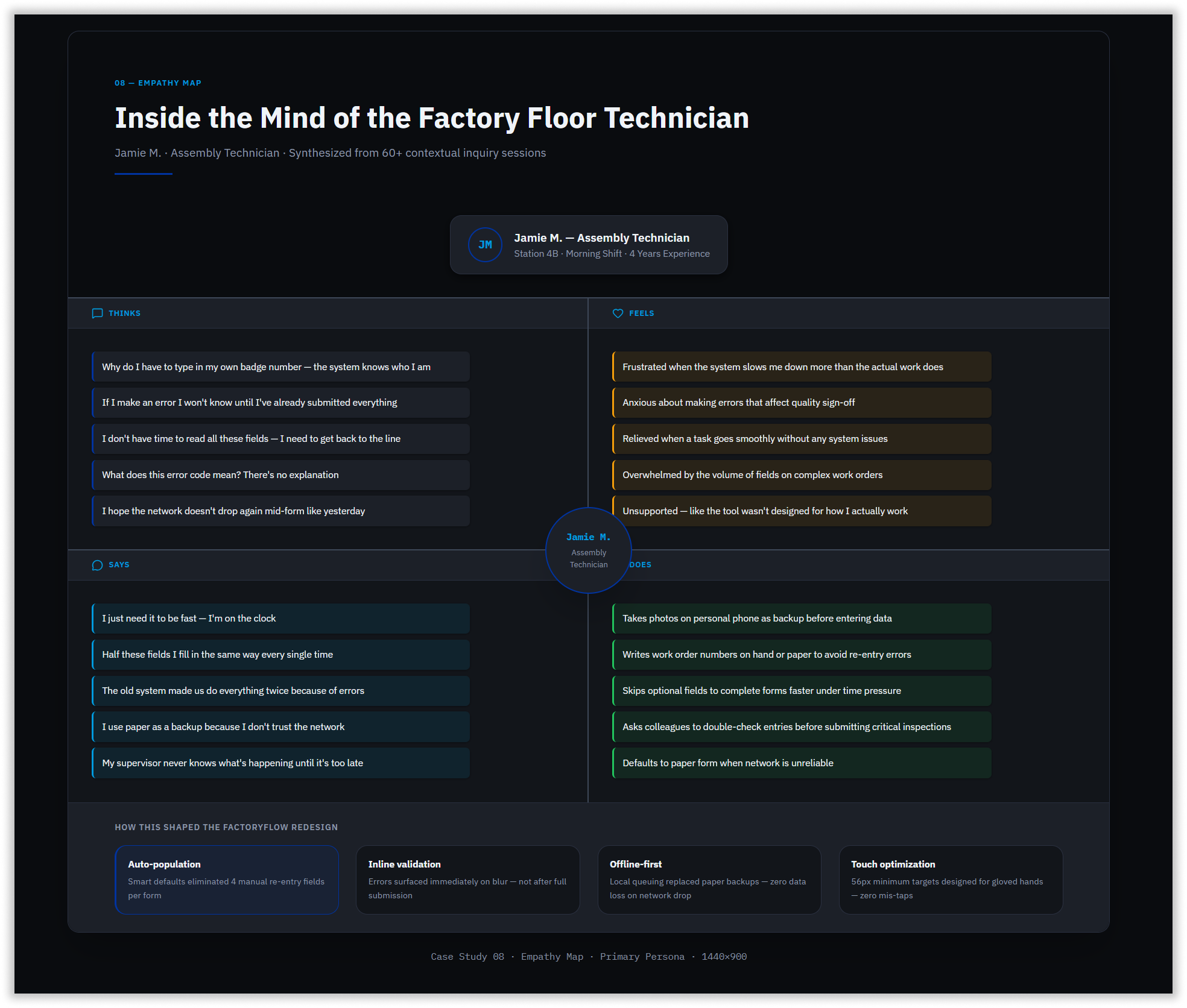
The existing MES was a legacy system designed for desktop use in controlled office environments. The reality of Boeing’s factory floor was fundamentally different. Through 60+ contextual inquiry sessions conducted directly on the production floor — observing technicians mid-shift, in active noise, under time pressure — several critical failure patterns emerged.
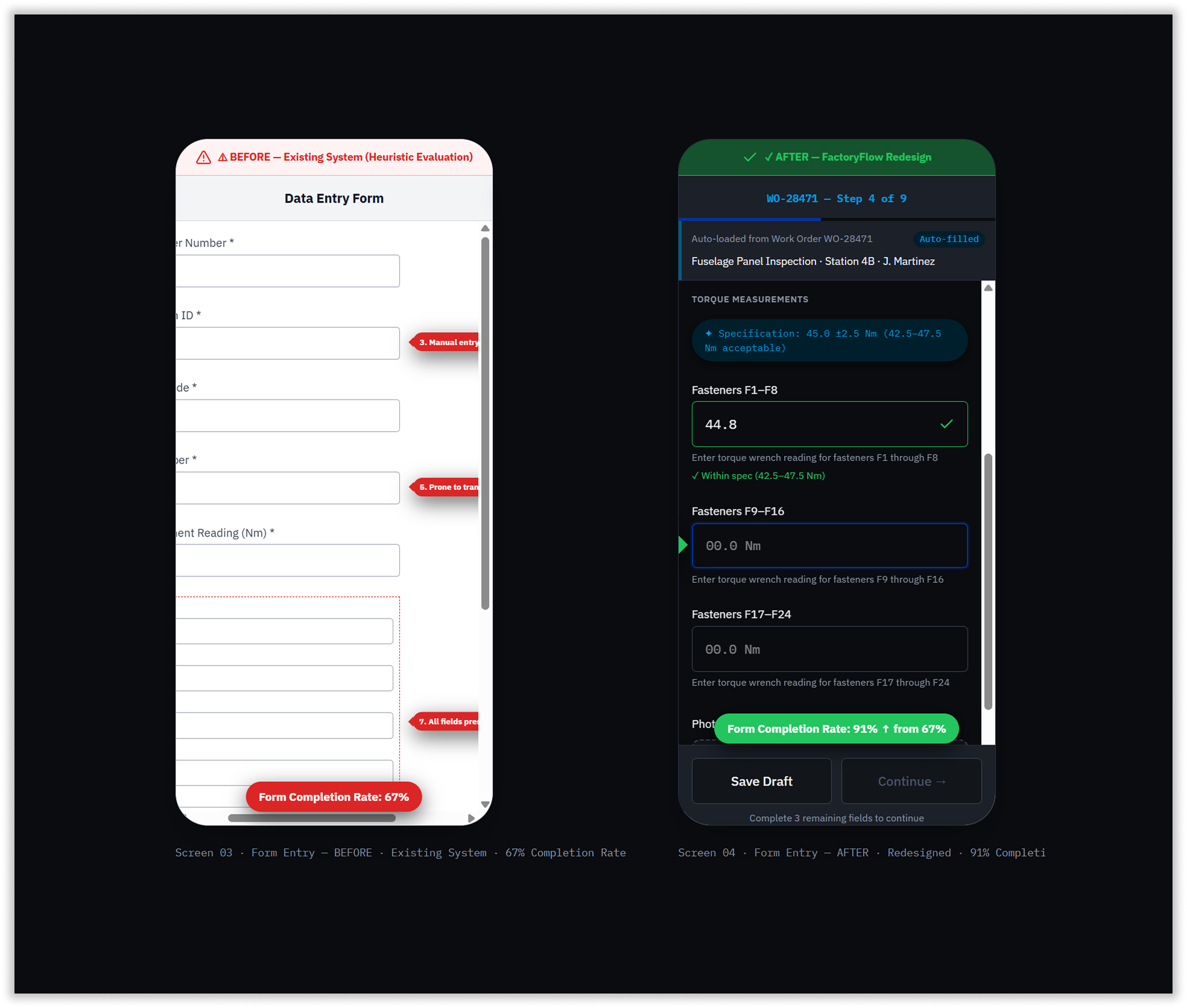
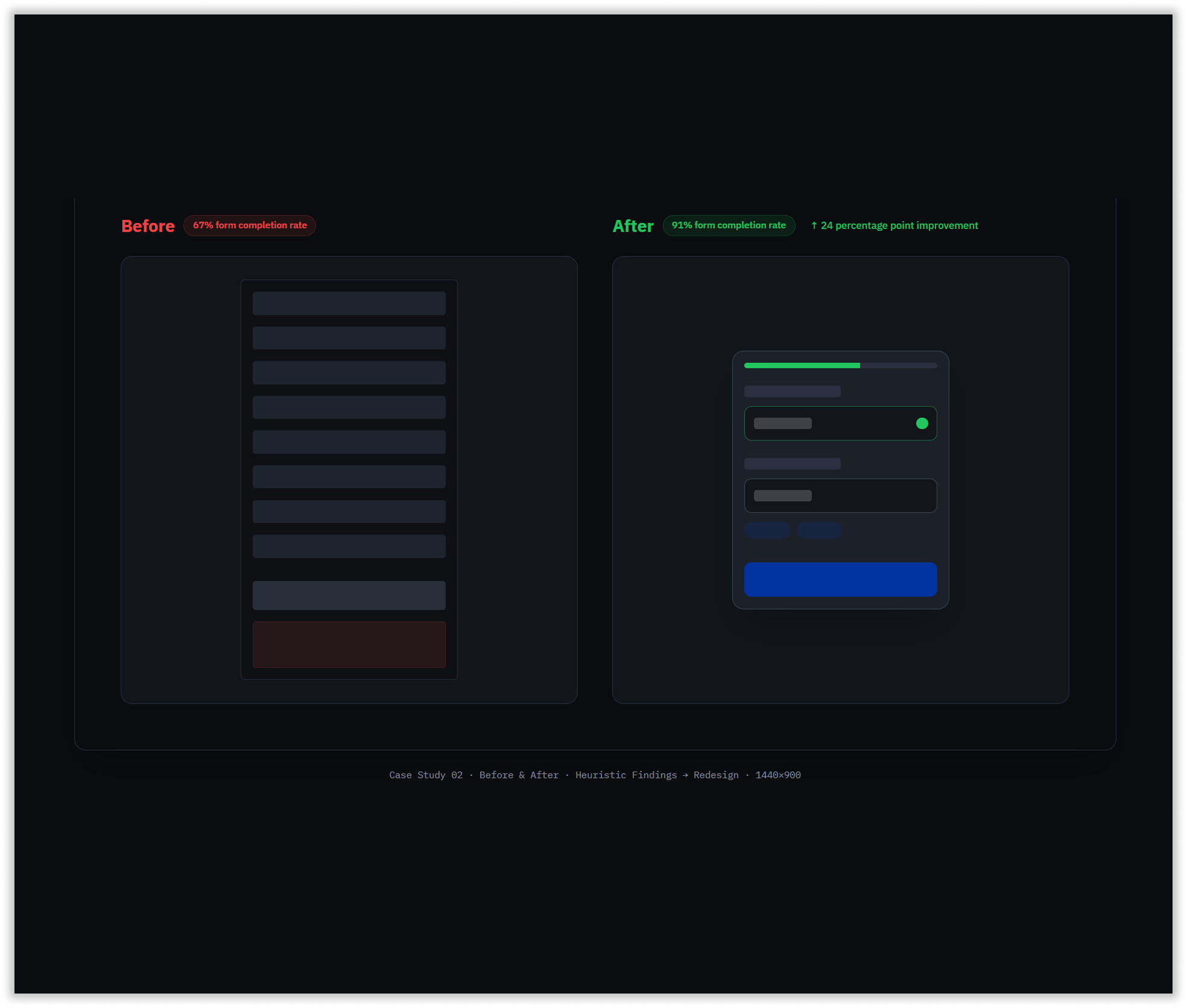
Forms were the single largest source of errors. Every field required manual entry, with no smart defaults, no contextual pre-population, and no inline validation. Errors surfaced only after submission, forcing technicians to abandon tasks, re-enter data, and restart workflows. The form completion rate sat at 67% — meaning nearly one in three form sessions ended without a successful submission.
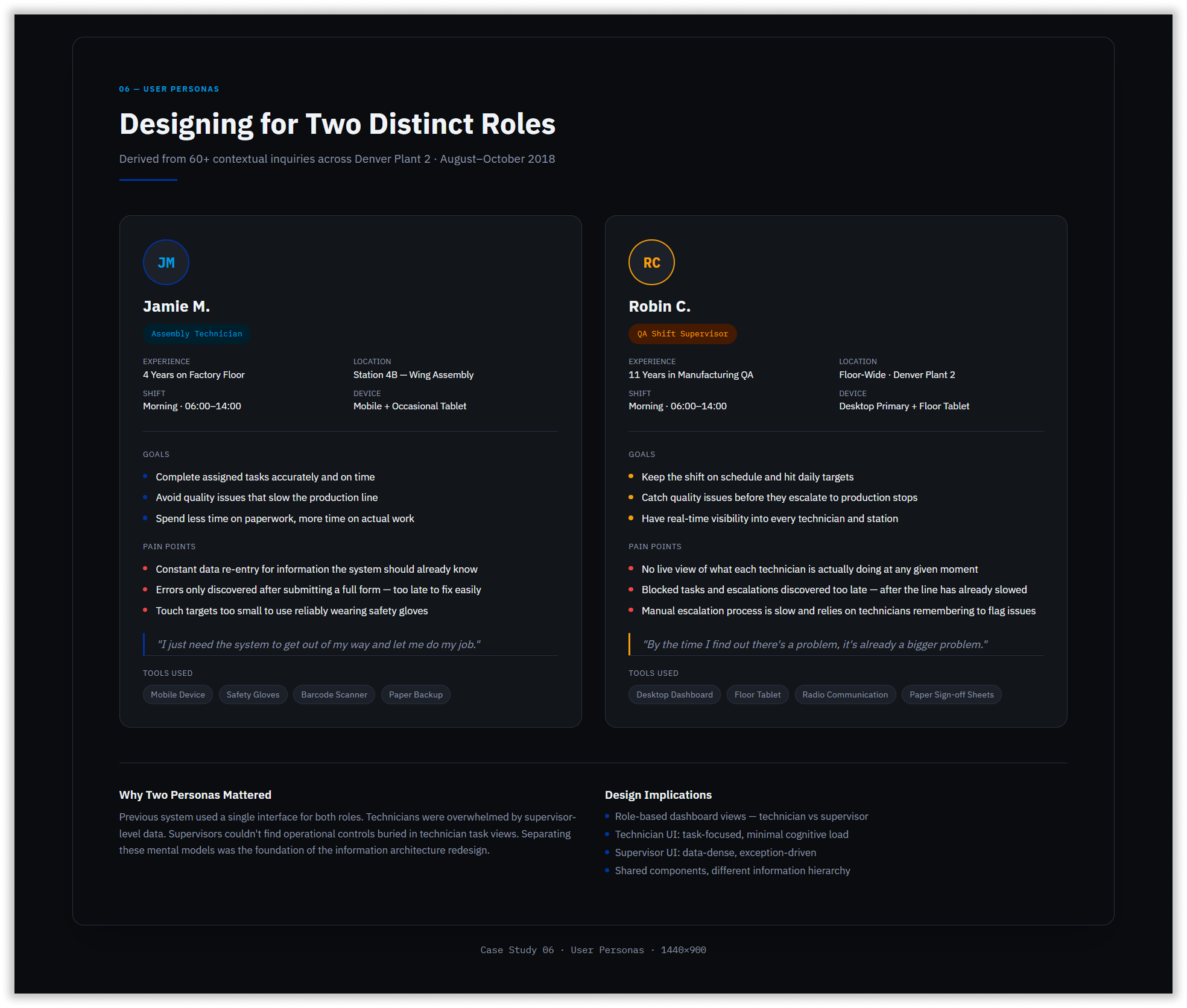
Touch targets across the interface averaged 28–32px — completely unusable for workers in safety gloves. Network connectivity on the floor was intermittent, yet the system had no offline capability, leaving technicians with no option but paper-based workarounds when connectivity dropped. Supervisors and technicians shared identical interfaces with no role-based differentiation, creating information overload for both.
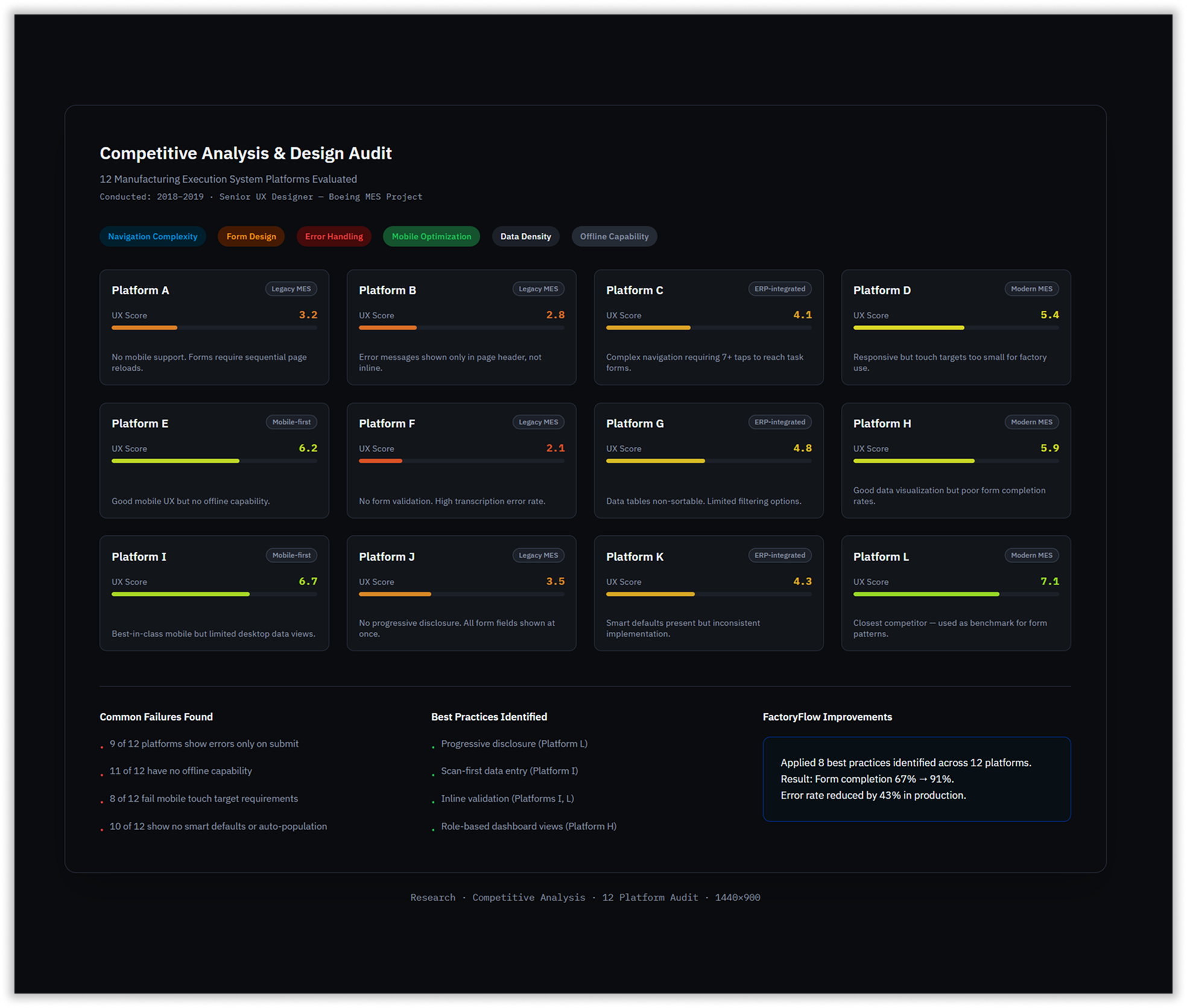
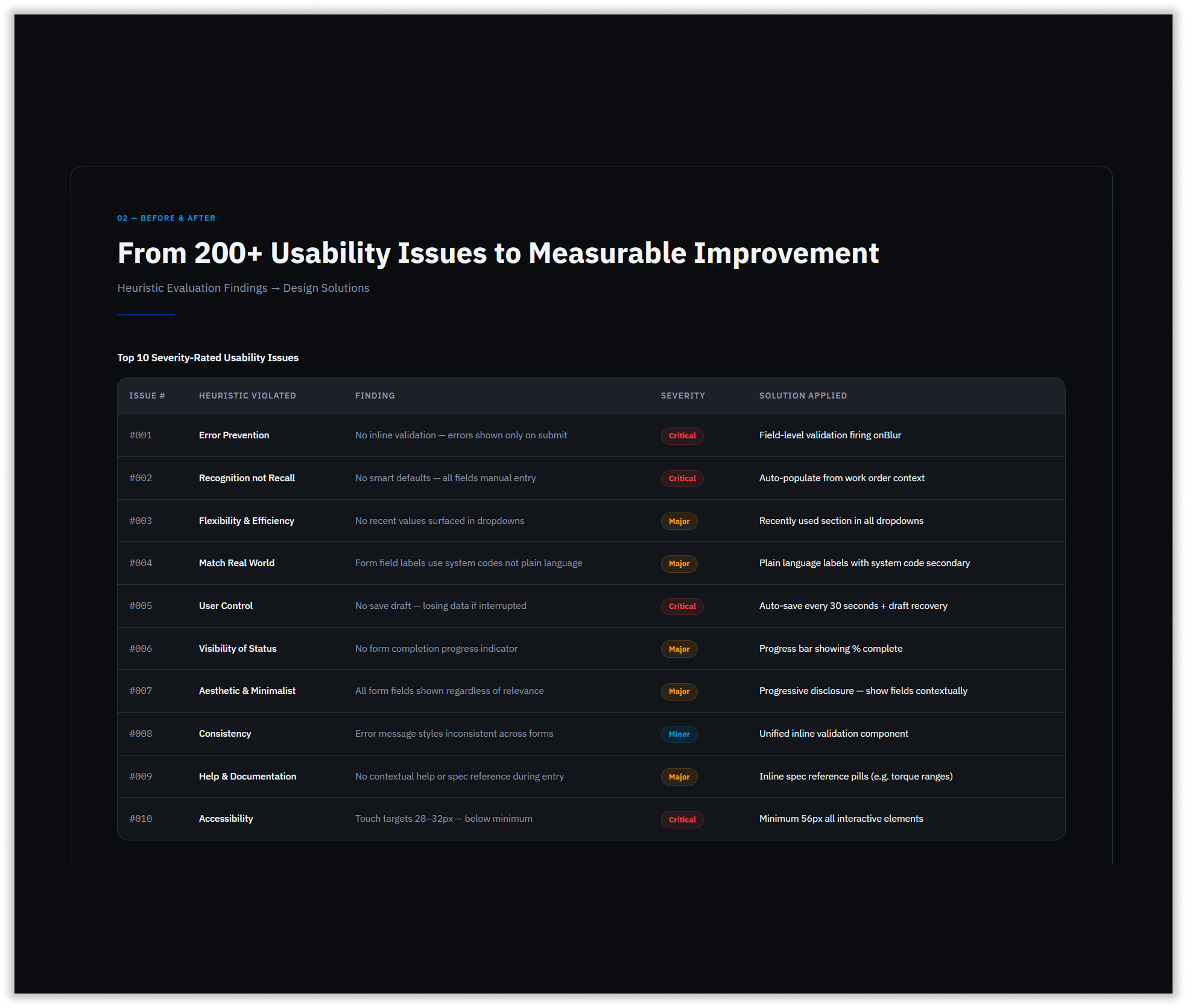
A formal heuristic evaluation of the existing system documented 200+ usability issues, severity-rated and mapped against production impact. A parallel audit of 12 competing MES platforms confirmed these weren’t edge cases — they were industry-wide failures that FactoryFlow had the opportunity to solve
Precision at Every Touchpoint
The FactoryFlow redesign addressed failure points systematically, starting with the highest-severity findings.
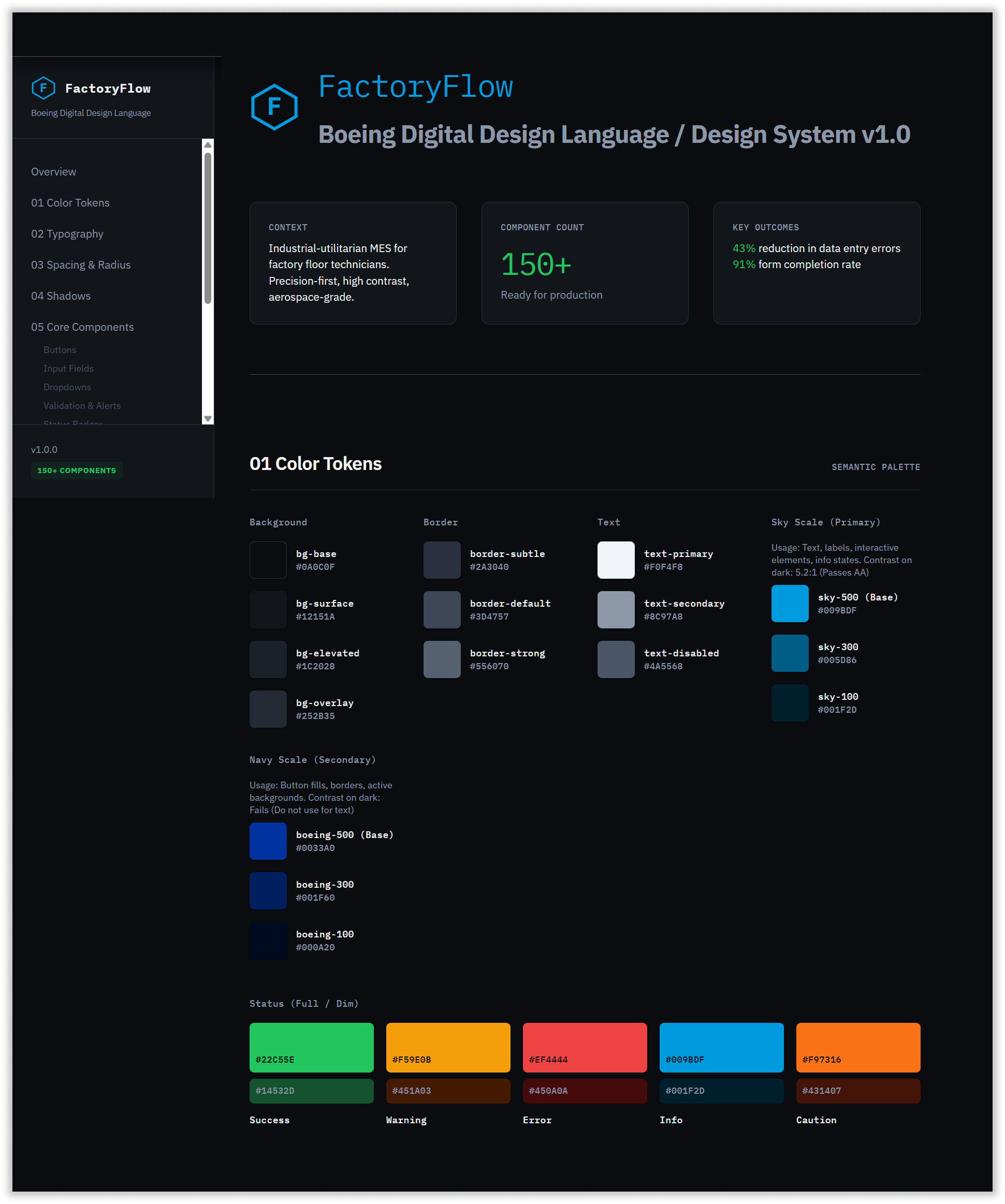
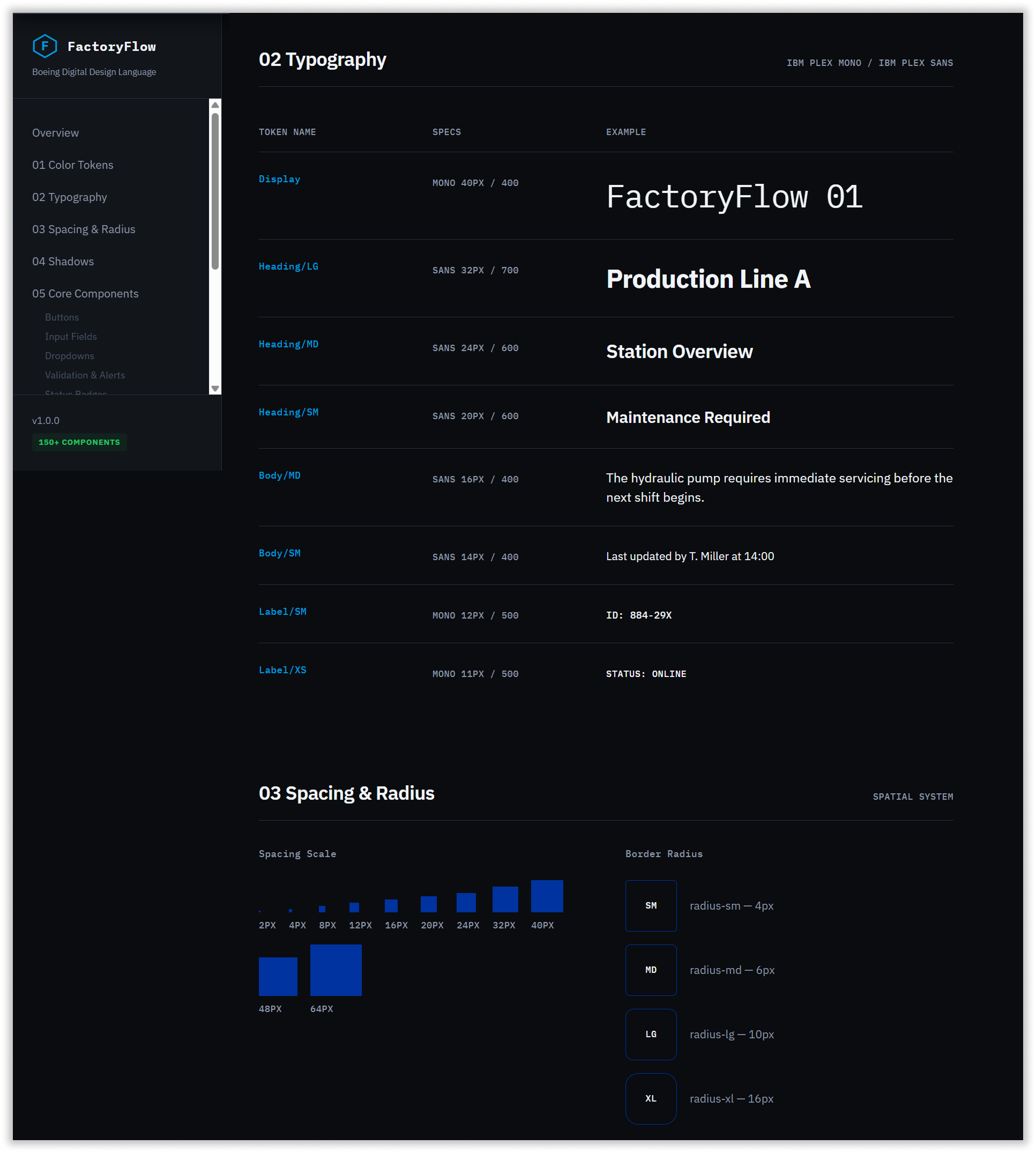
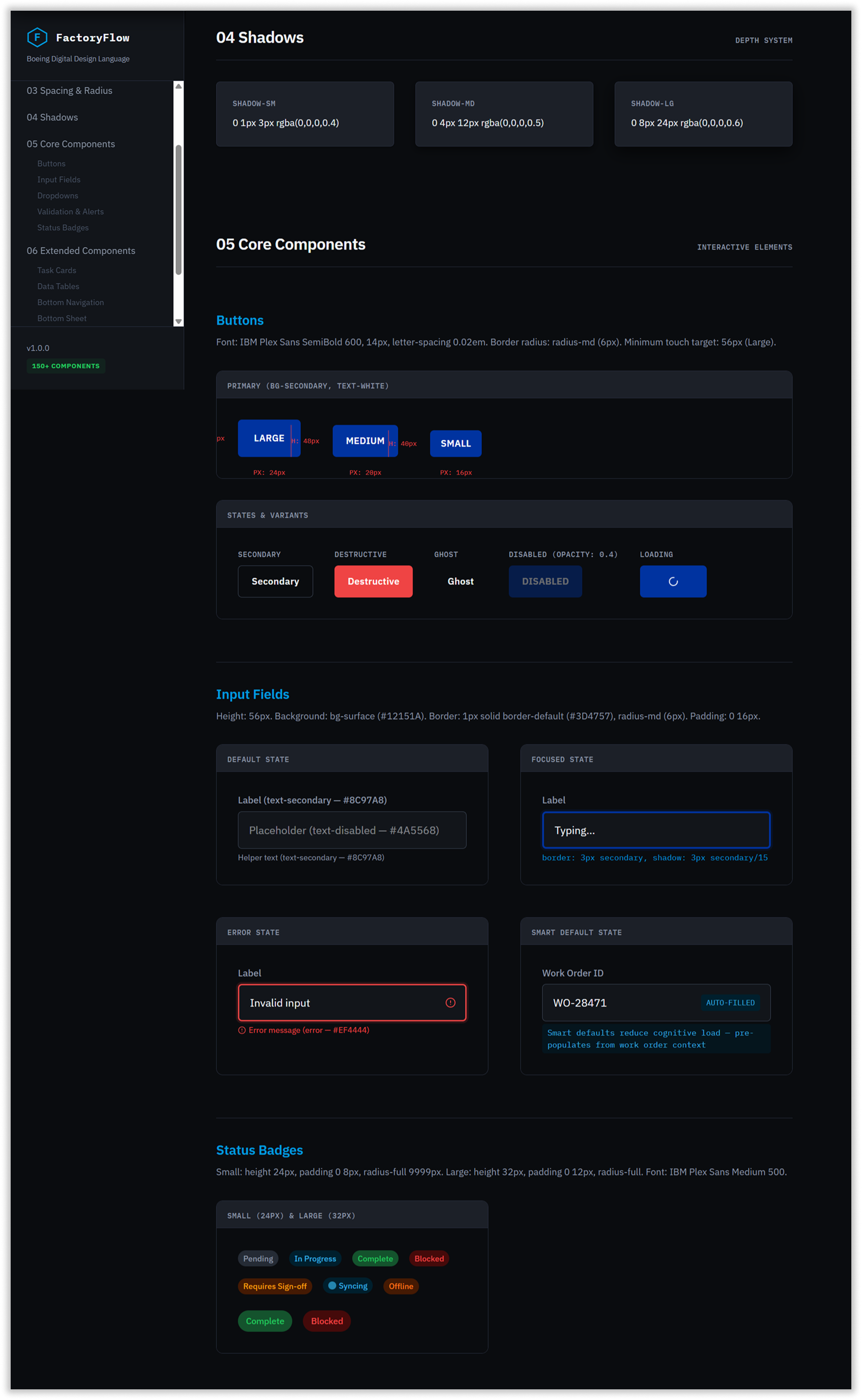
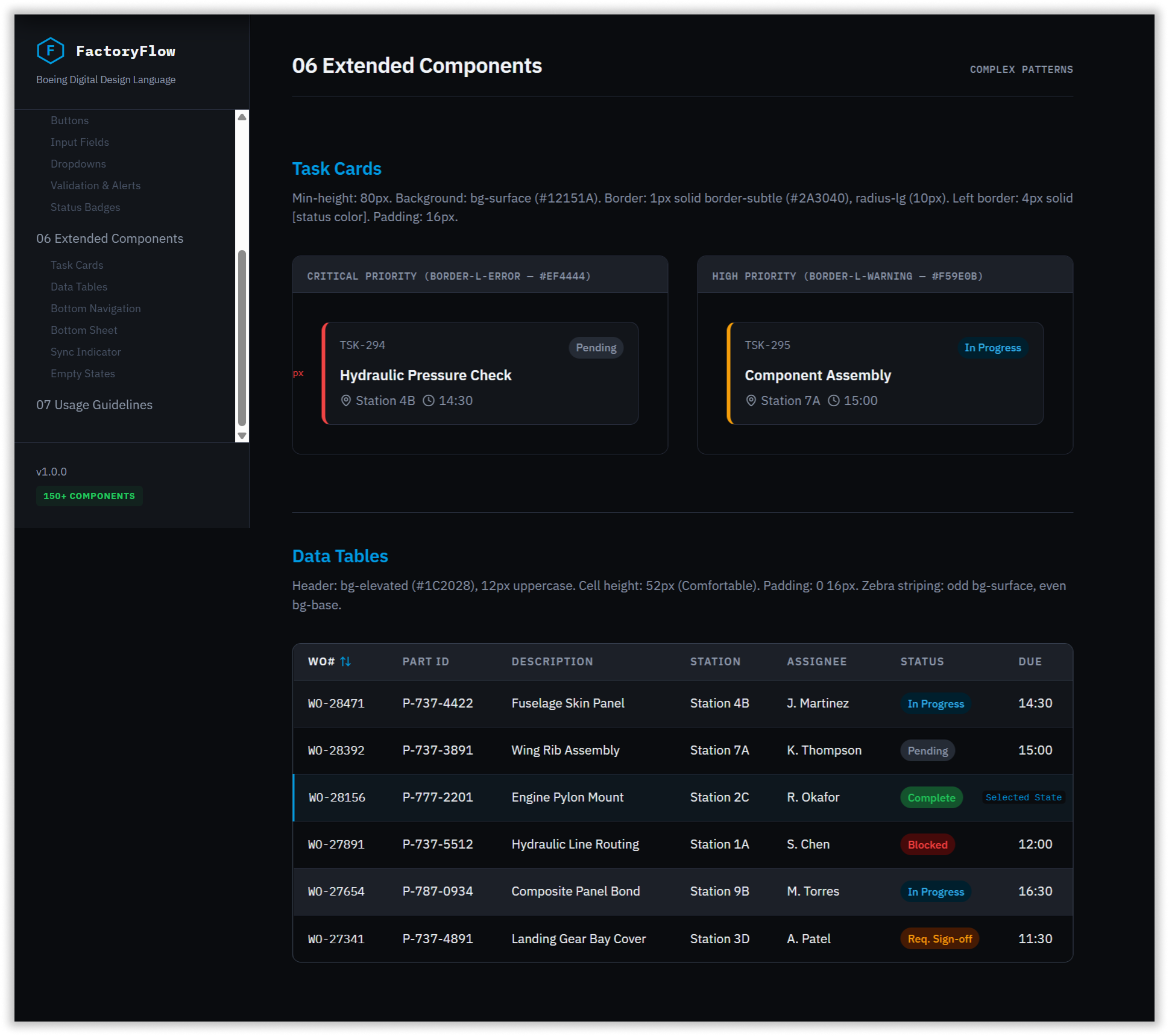
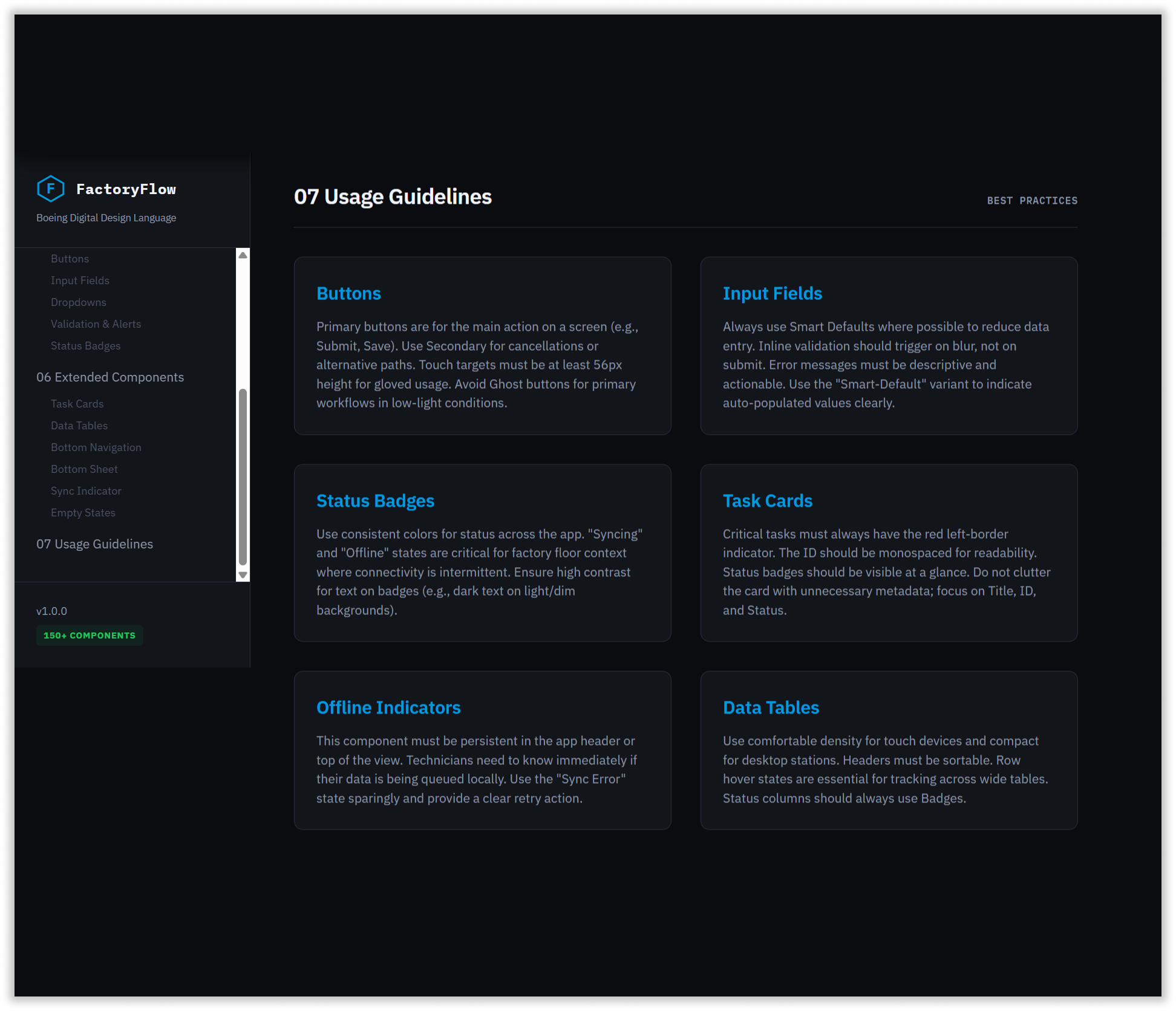
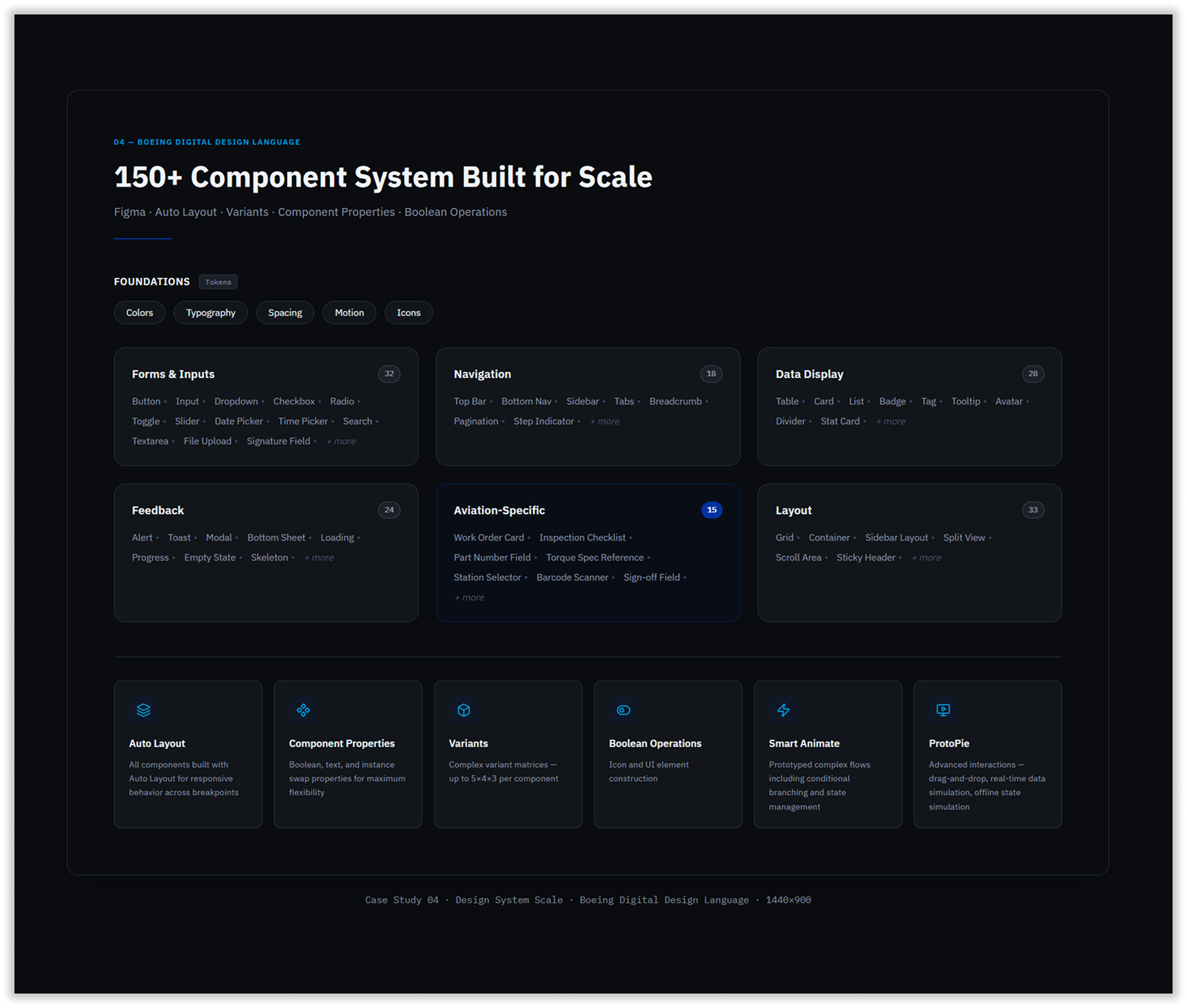
1. Boeing Digital Design Language
The redesign was formalized into 150+ components, delivered with complete CSS-in-JS specifications, hover, focus, error, and loading states, animation timing functions, and high-fidelity Figma Smart Animate and ProtoPie prototypes for developer handoff.
2. Authentication & Role-Based Entry
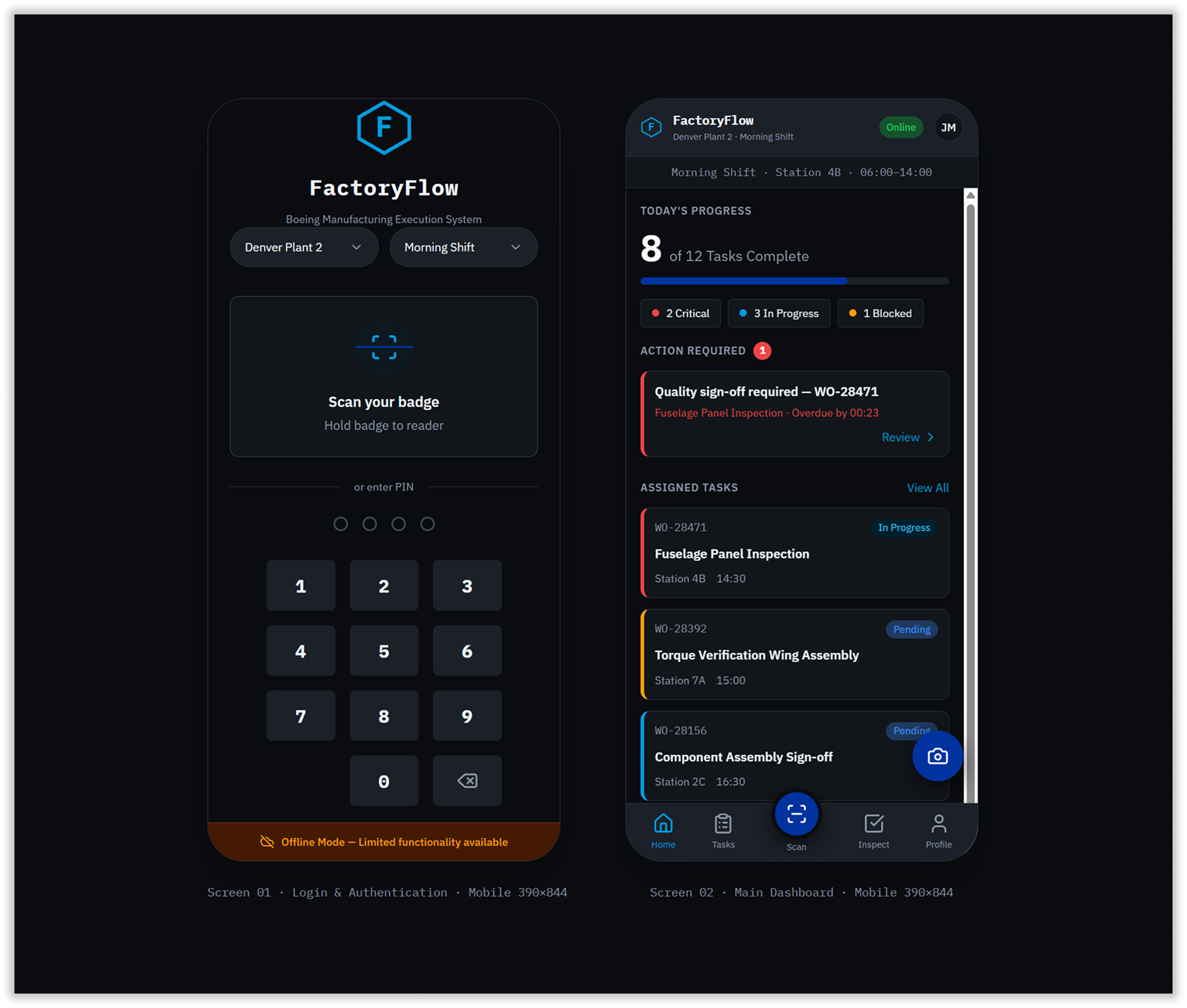
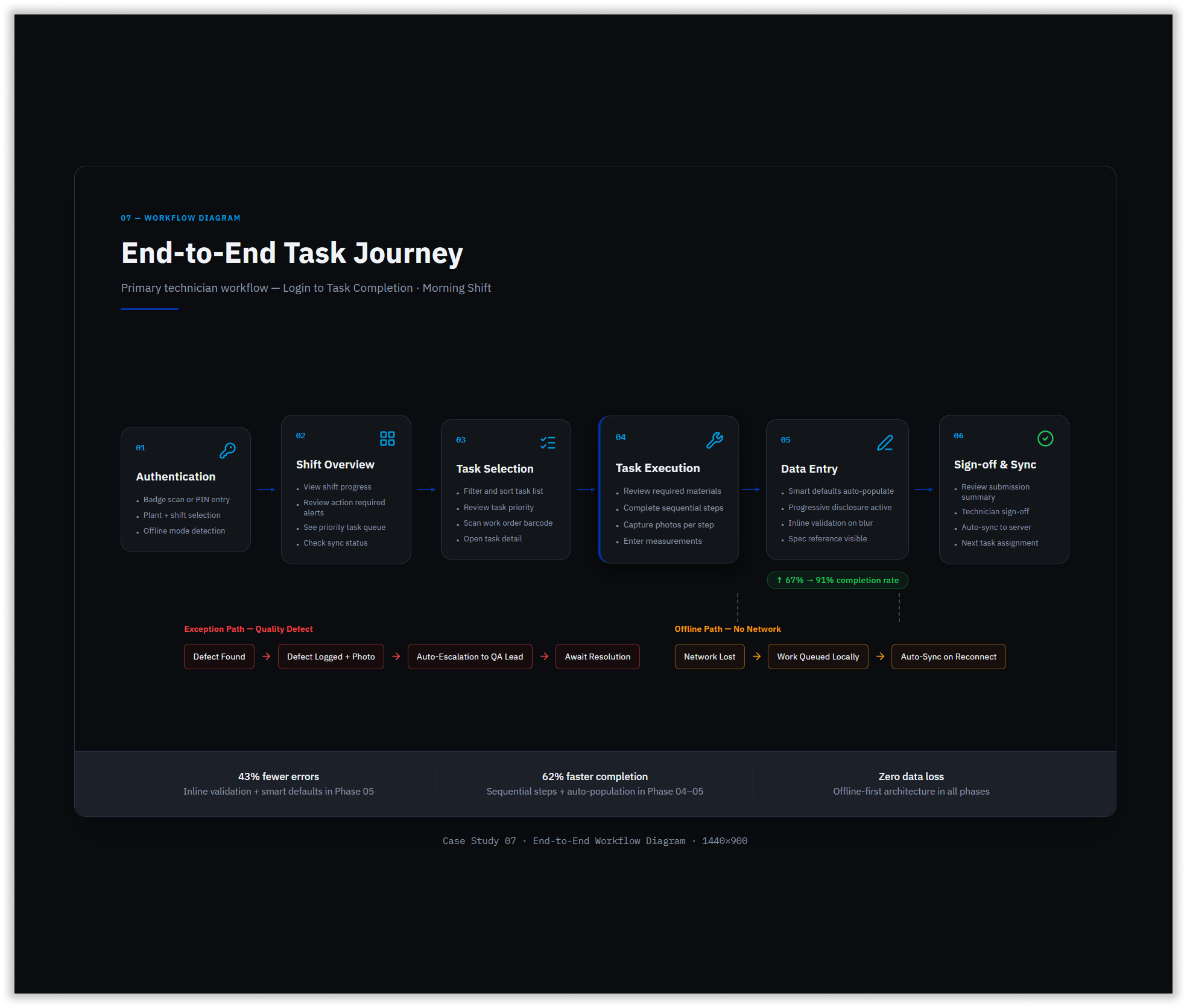
The first design decision was eliminating the password. Factory floor technicians don’t type credentials — they scan a badge or enter a PIN. The authentication screen was rebuilt around these two primary methods, with plant and shift selection surfaced immediately on entry.
For supervisors, the same login resolved to an entirely different dashboard — a role-based split that had never existed in the previous system. The main dashboard gave technicians an immediate shift progress summary, priority task queue, and action-required alerts above the fold, with a persistent sync status indicator in the header communicating data freshness at all times.
3. Real-Time Production Visibility
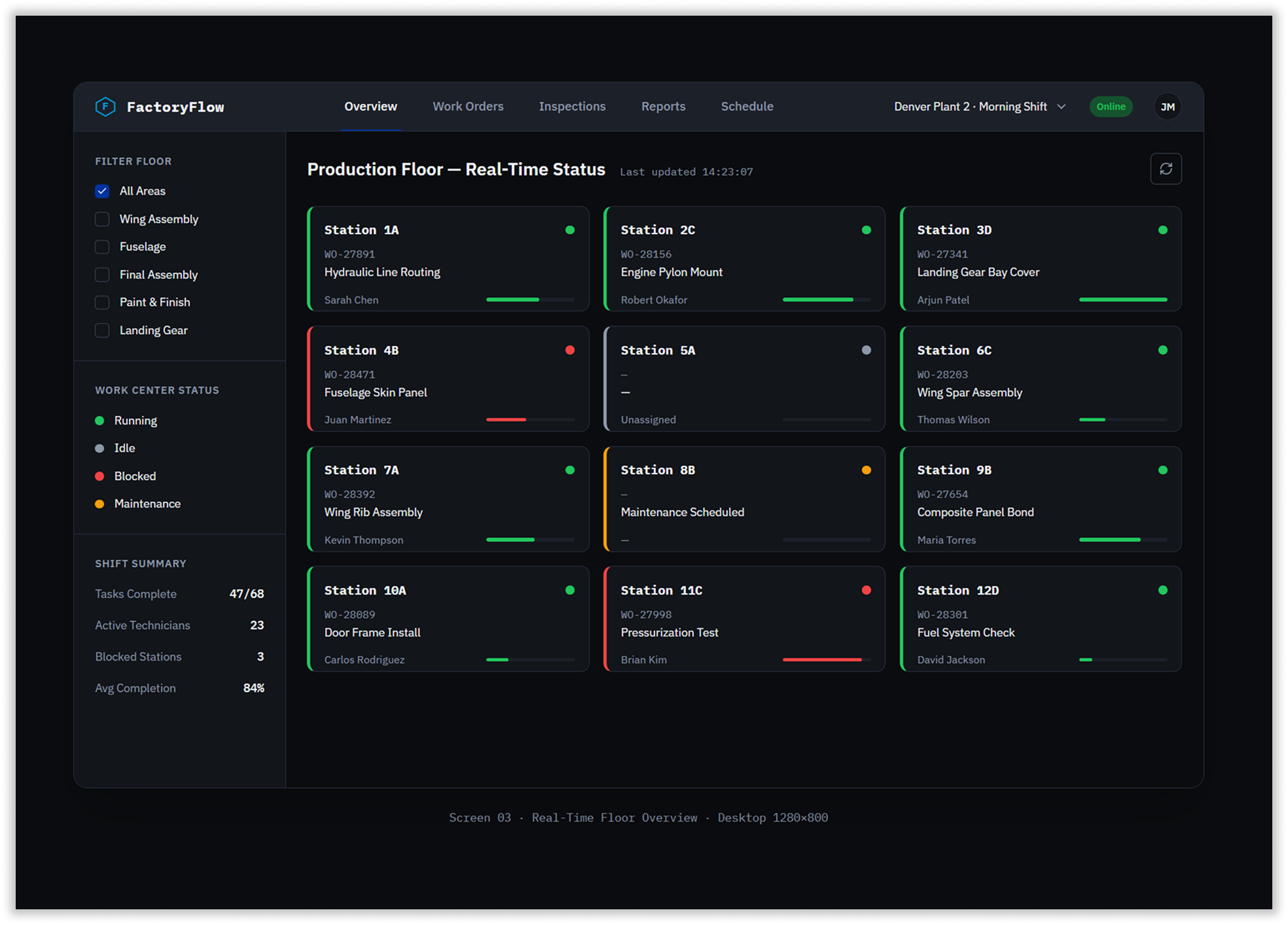
Supervisors previously had no live view of the factory floor. The Production Floor overview gave them a real-time station grid — 12 stations visible simultaneously, each showing current work order, assigned technician, task description, and a color-coded status dot. Blocked stations surfaced immediately with a red left border and error-tinted background, making exceptions visible at a glance without requiring any navigation. A shift summary sidebar showed aggregate metrics — tasks complete, active technicians, blocked stations, and average completion rate — updated in real time.
4. Work Order Management at Scale
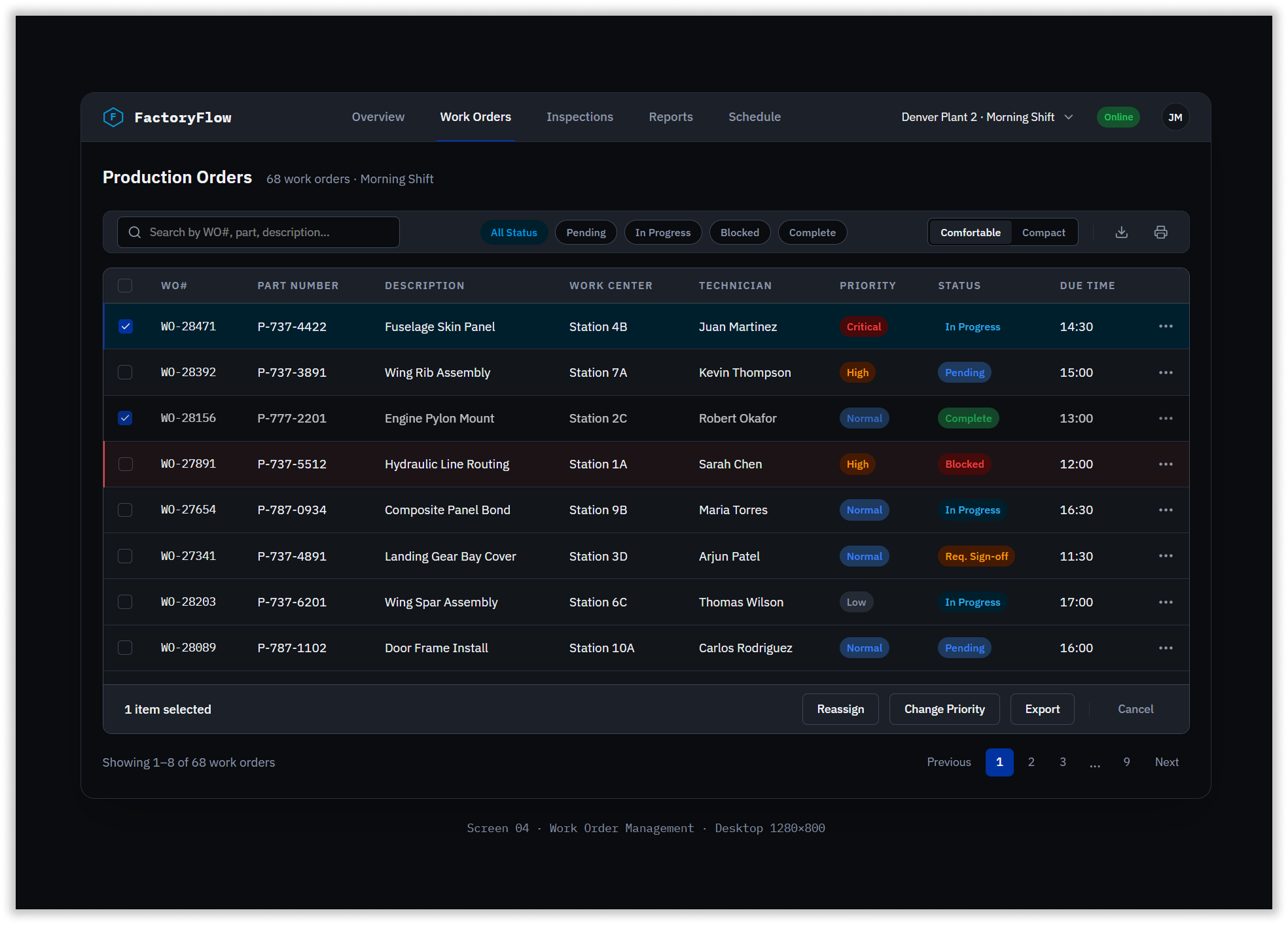
With 68 work orders active per shift, supervisors needed to filter, sort, and act on data quickly. The production orders table was built with sortable columns, status filter pills, a density toggle between comfortable and compact views, and a bulk action bar that appeared contextually on row selection. Work order numbers rendered in IBM Plex Mono for instant scanability. Blocked rows surfaced with a red left border. Selected rows used a Boeing navy background tint. Every interaction in the table was designed to reduce the number of steps between identifying a problem and taking action on it.
5. The Core Task Flow
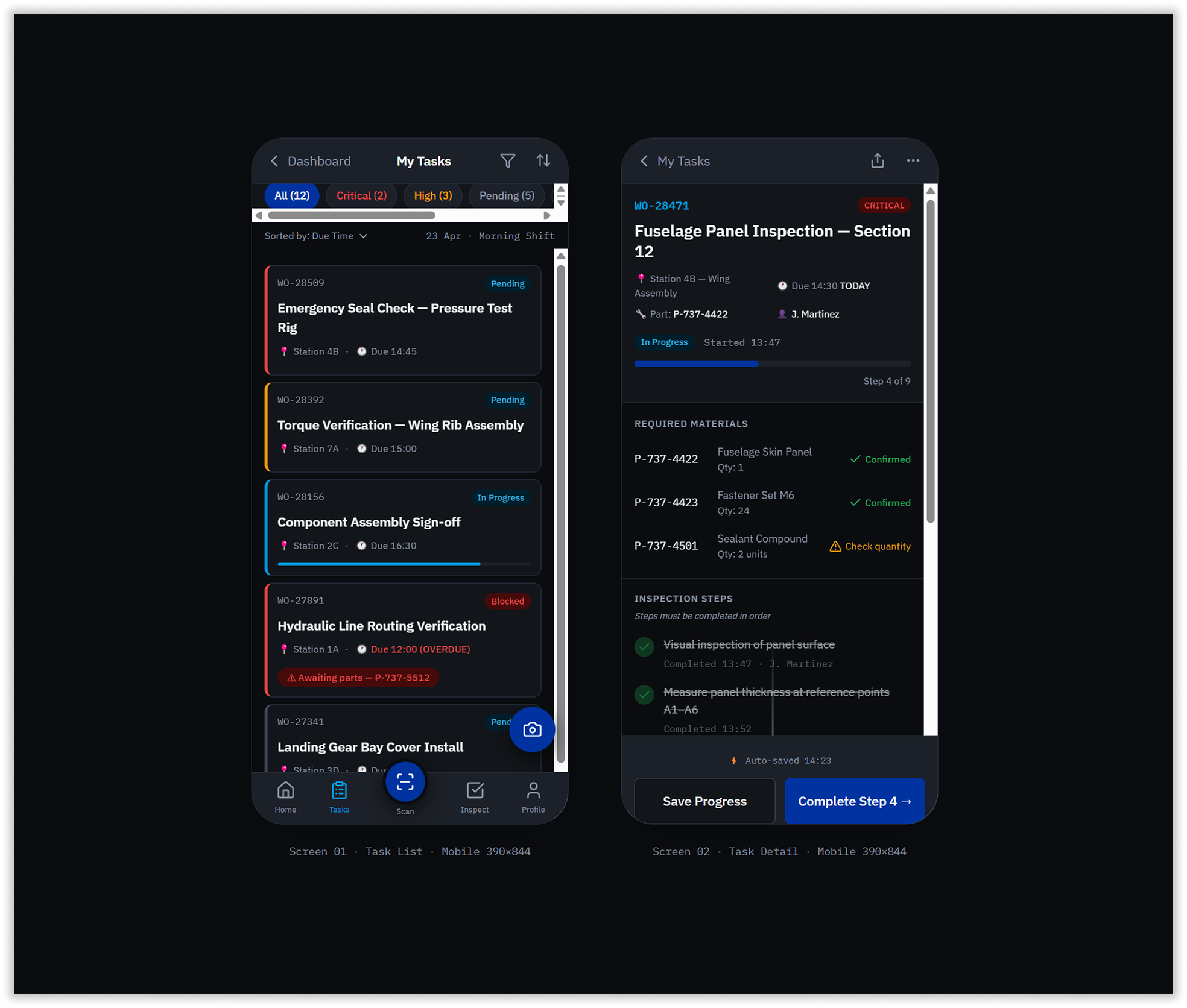
The task list was rebuilt around priority-first ordering with a color-coded left border system — critical in red, high in amber, normal in Boeing blue, low in grey. Swipe-to-action enabled complete and reassign directly from the list without opening the task.
The task detail screen introduced sequential step locking — technicians could not skip steps, ensuring inspection integrity. Each step supported photo capture, measurement entry, and material confirmation inline. An auto-save indicator fired every 30 seconds, and the bottom action bar showed both Save Progress and Complete Step — eliminating the data loss that had been a top-severity finding in the heuristic evaluation.
6. Smart Defaults & Form Redesign
This is where the 43% error reduction and 91% form completion rate were earned. The redesigned form auto-populated four fields from work order context the moment a technician opened it — work order number, technician ID, station, and part number — eliminating the most error-prone manual entry points entirely. Progressive disclosure showed only fields relevant to the current step.
A specification reference pill displayed the acceptable measurement range inline, visible while the technician entered readings, removing the need to consult paper documentation. Inline validation fired on blur — the moment a technician left a field — with a plain language error message and clear recovery guidance appearing immediately below. A form progress bar showed percentage complete throughout. The combined effect of these patterns raised form completion from 67% to 91% in production.
7. Quality Inspection & Barcode-First Entry
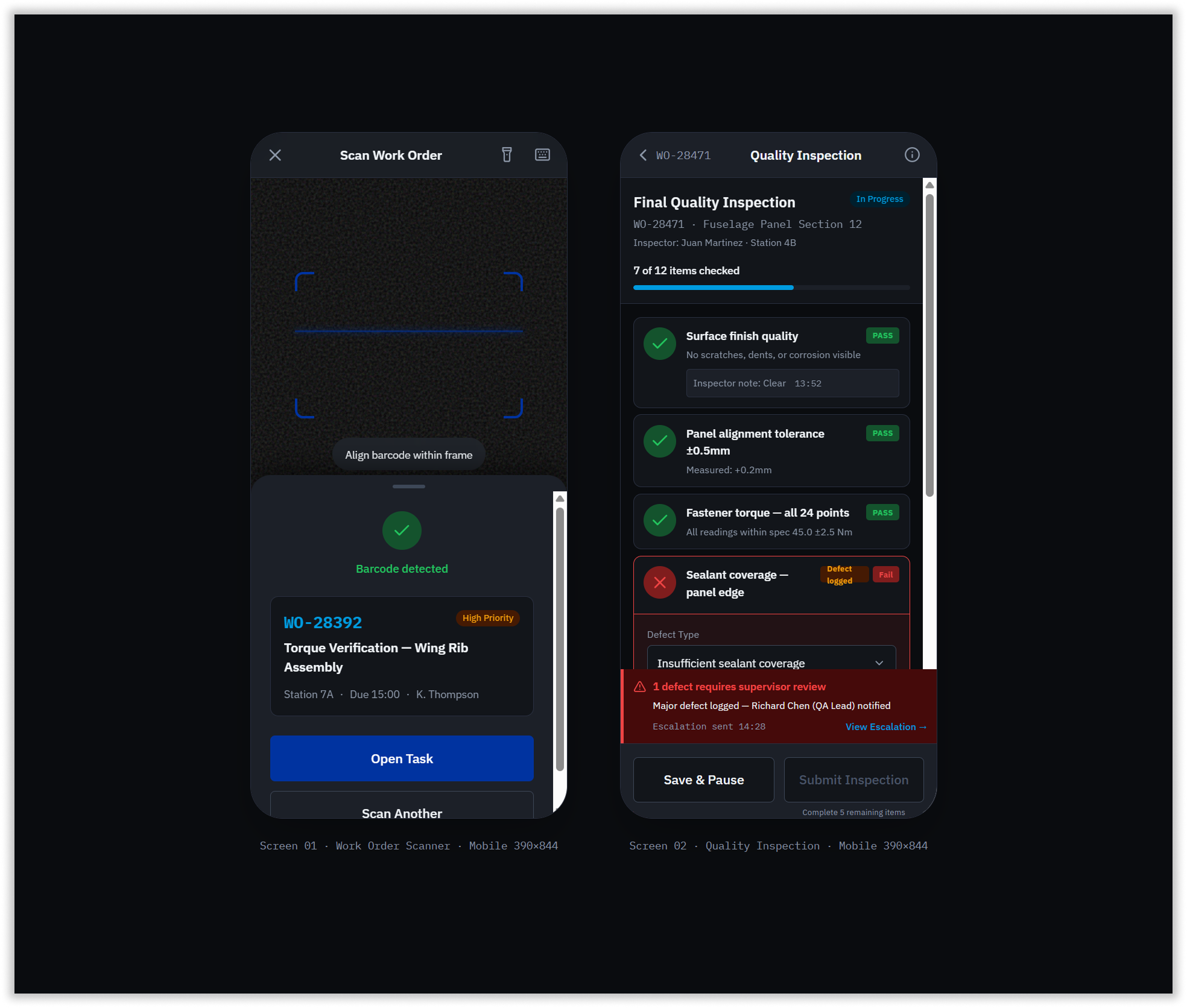
Anywhere a technician would previously type a work order number, the scanner became the primary input method. The scan screen presented a full-screen camera viewfinder with corner bracket targets and a sweep animation, with manual entry as a clearly visible fallback. Successful scans surfaced a result card immediately with work order details and a single primary action.
The quality inspection checklist supported Pass, Fail, and N/A per item, with sequential unlocking matching the task detail pattern. When a failure was logged, a defect capture form expanded inline — defect type dropdown, severity selector, photo capture — without navigating away from the checklist. Critical defects triggered automatic escalation.
8. Supervisor Operations & Exception Management
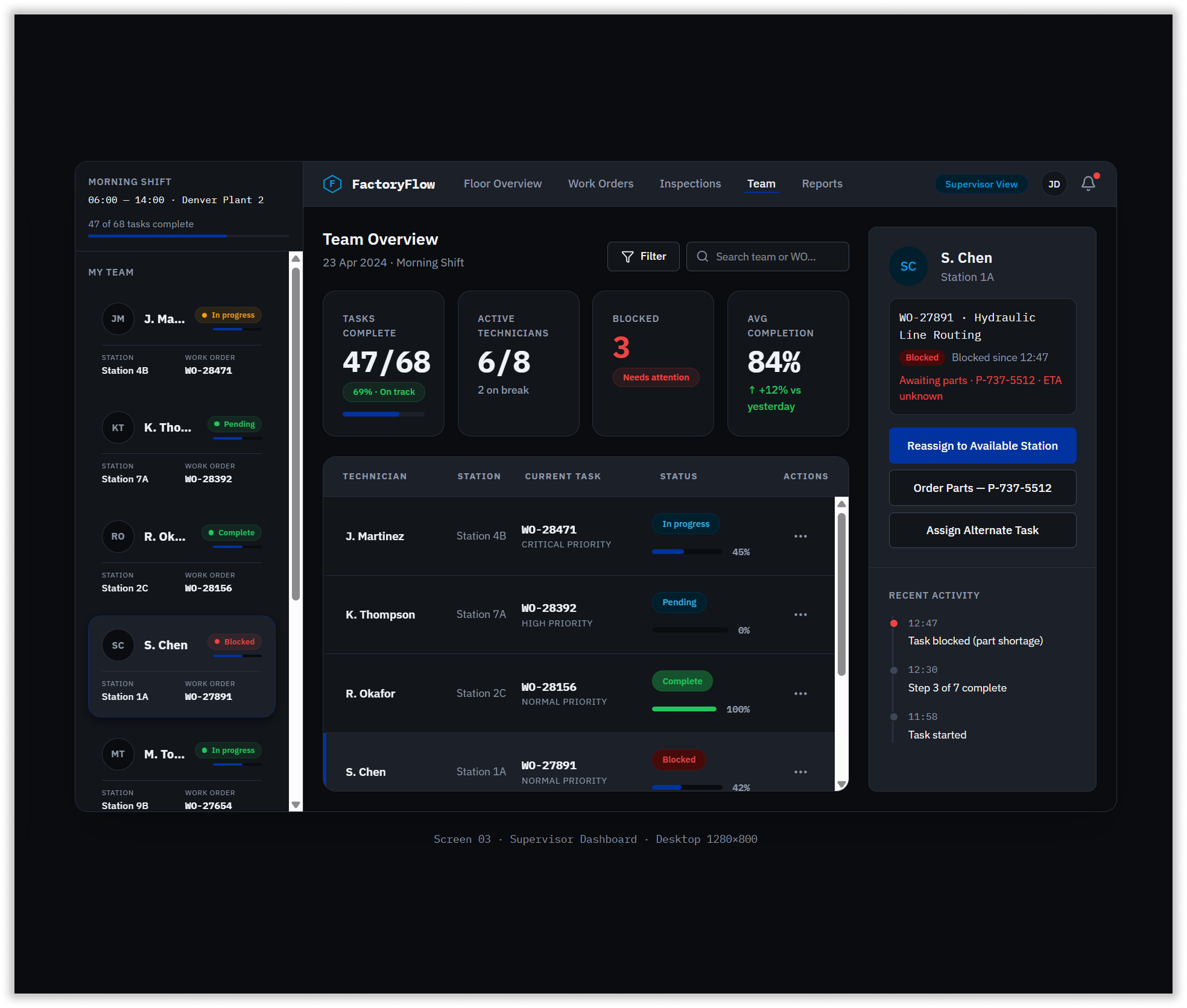
The supervisor dashboard gave the shift supervisor everything the previous system denied: a live team status table showing every technician, their station, current work order, priority, status, and progress percentage simultaneously. Blocked technicians were highlighted in the left sidebar with red status dots and exception detail. Selecting a blocked technician opened a detail panel on the right with context — blocked since what time, reason, parts needed — and three direct action buttons: reassign, order parts, assign alternate task.
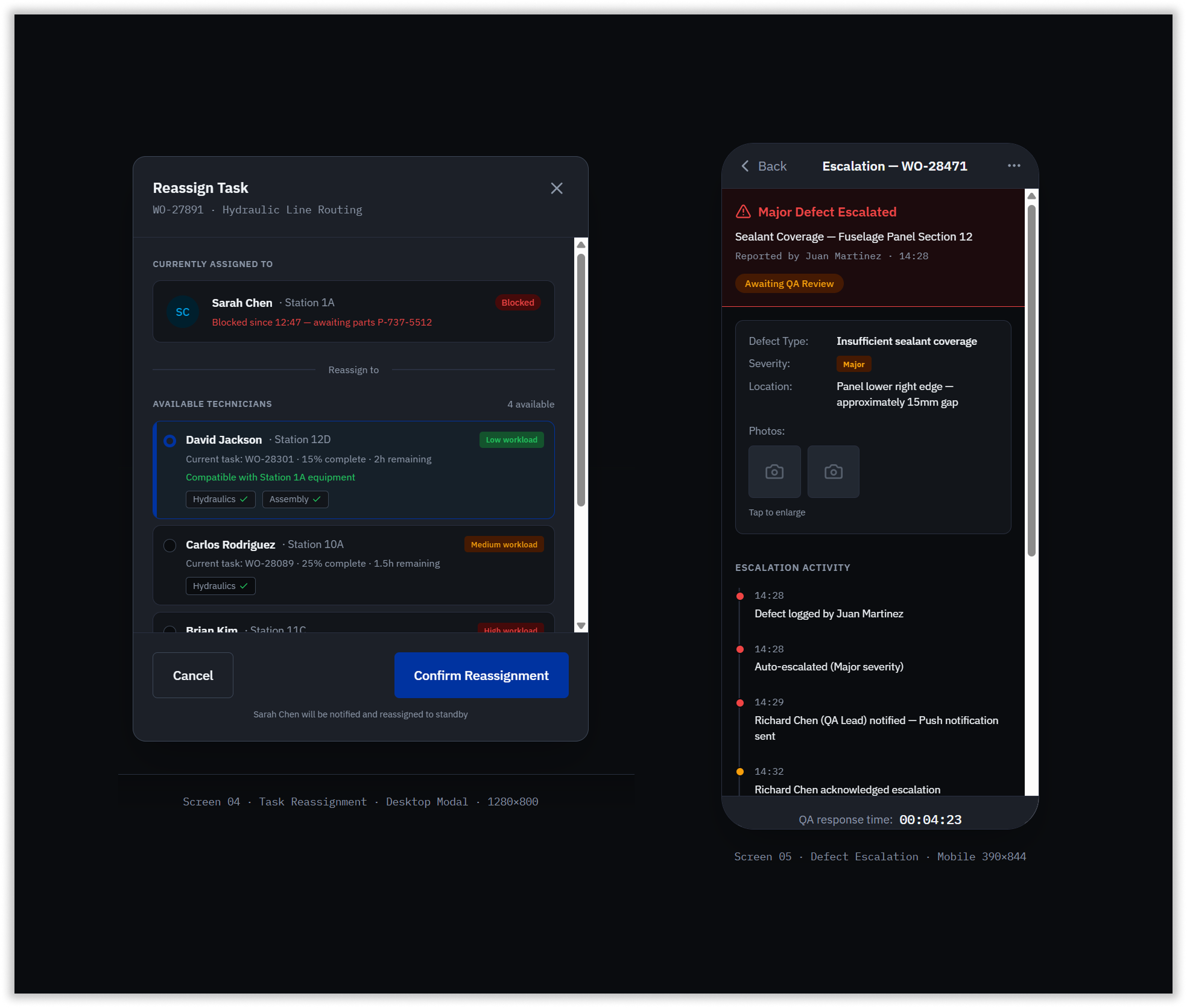
The reassignment modal surfaced available technicians ranked by workload, showing competency badges and equipment compatibility to prevent reassigning someone to a station they couldn’t operate. The defect escalation screen gave technicians a full timeline of escalation activity — logged, auto-escalated, QA lead notified, acknowledged — so nothing fell through the floor while waiting for a response.
For supervisors, a dedicated floor overview dashboard provided real-time station status, technician progress, and exception management — a role-based view that had never existed in the previous system.
9. Task Completion & Handoff
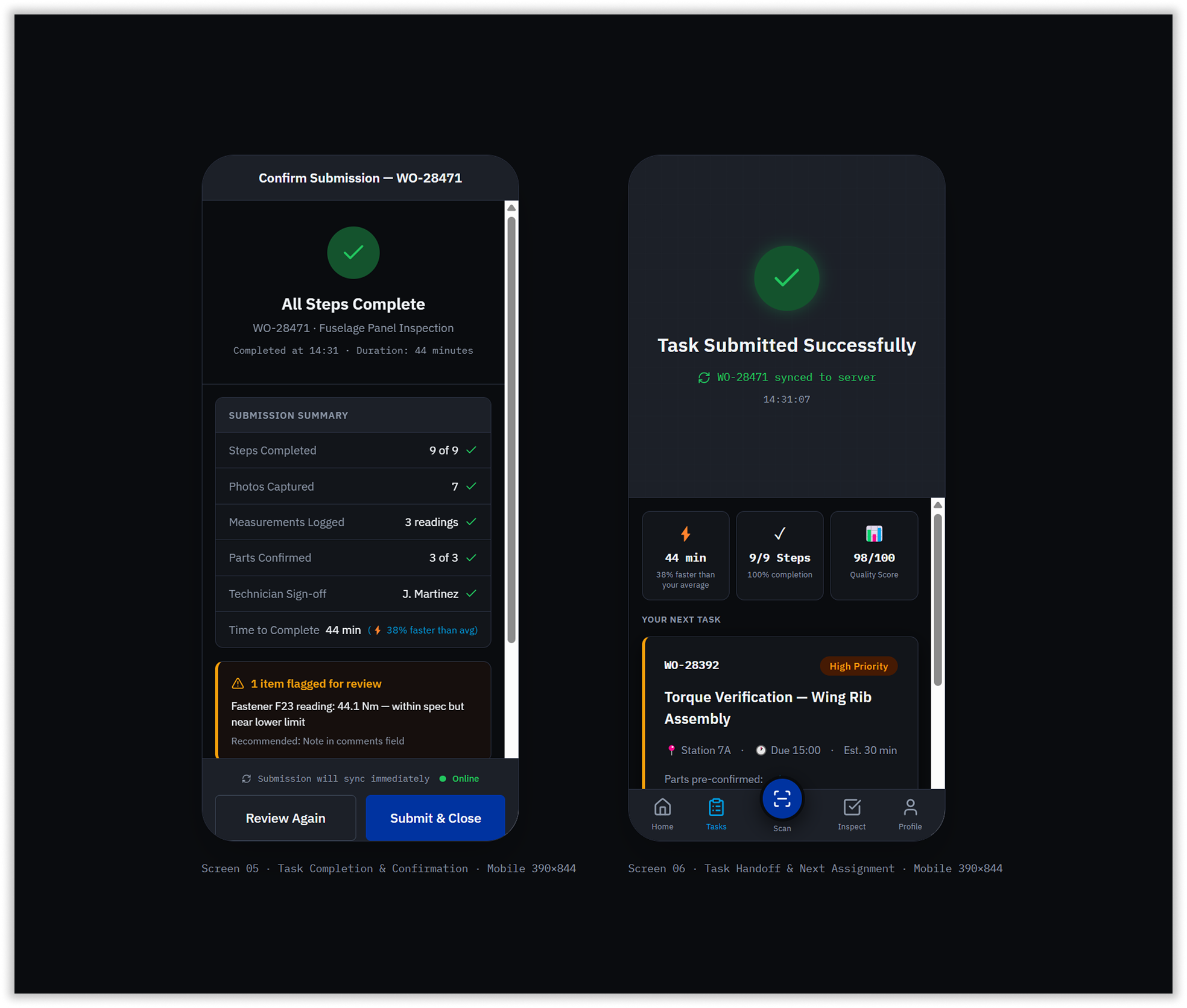
The completion flow was designed to prevent two failure modes from the old system — lost data on submission and the dead end after finishing a task. The confirmation screen showed a full submission summary before final commit: steps completed, photos captured, measurements logged, parts confirmed, and technician sign-off. Any reading near the edge of specification was flagged with a contextual warning before submission — not after.
On successful submission, the system surfaced the next assigned task immediately with pre-confirmed parts status and an estimated duration, keeping technicians moving without returning to the dashboard.
10. Progressive Web App & Offline-First Architecture
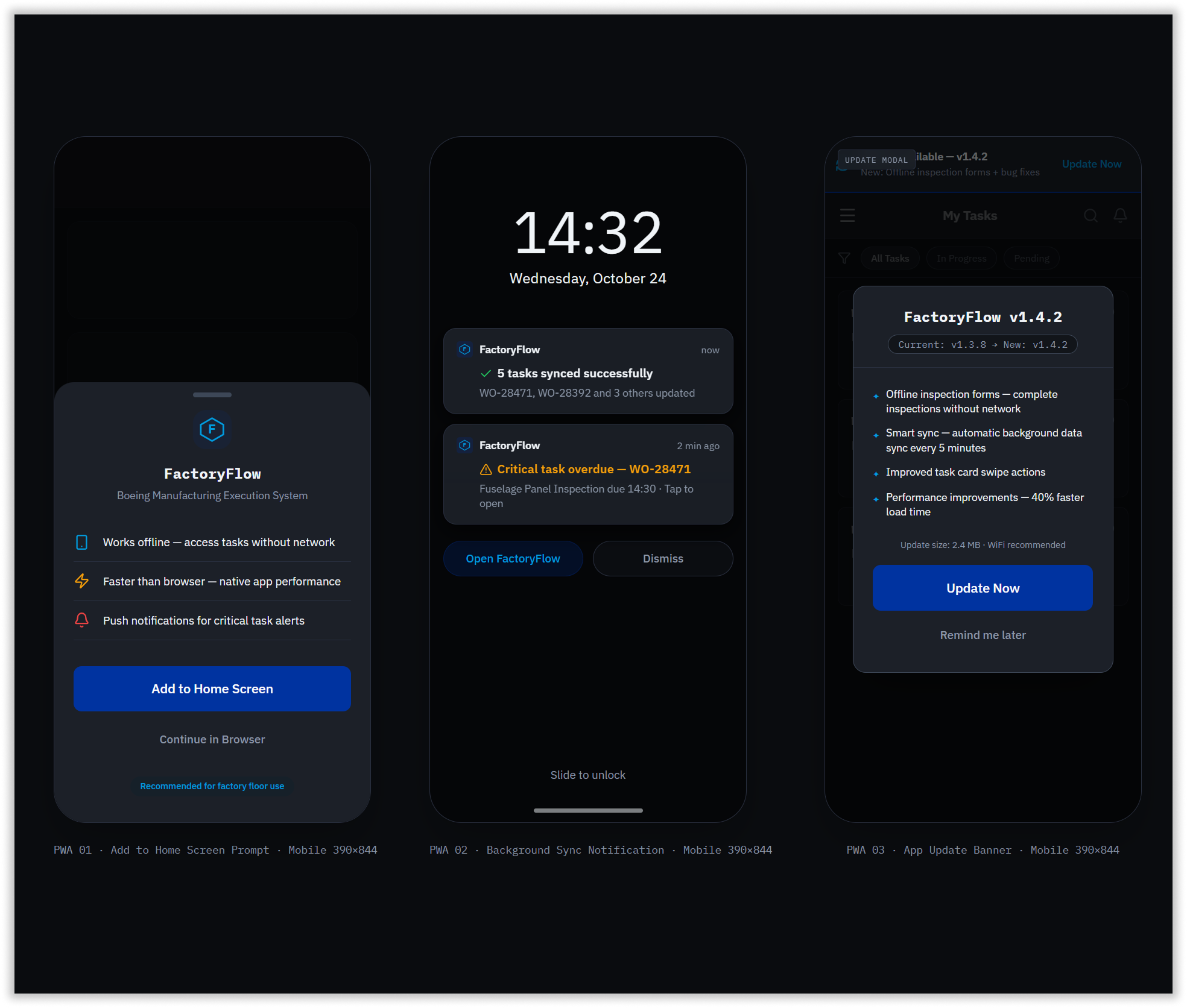
Offline capability was non-negotiable. Every task, form entry, inspection checklist, and photo capture queued locally when connectivity dropped, syncing automatically on reconnect with zero data loss. The PWA install prompt was designed as a bottom sheet with three concrete benefit statements specific to factory floor context — not generic app install copy.
Background sync notifications appeared on the lock screen with task-specific content: work order numbers, sync counts, and critical overdue alerts. The app update modal surfaced a plain-language changelog with version numbers in monospace, size information, and a WiFi recommendation — treating factory floor technicians as informed users capable of making an update decision rather than passive recipients of automatic changes.
Measured in Production, Not Pixels
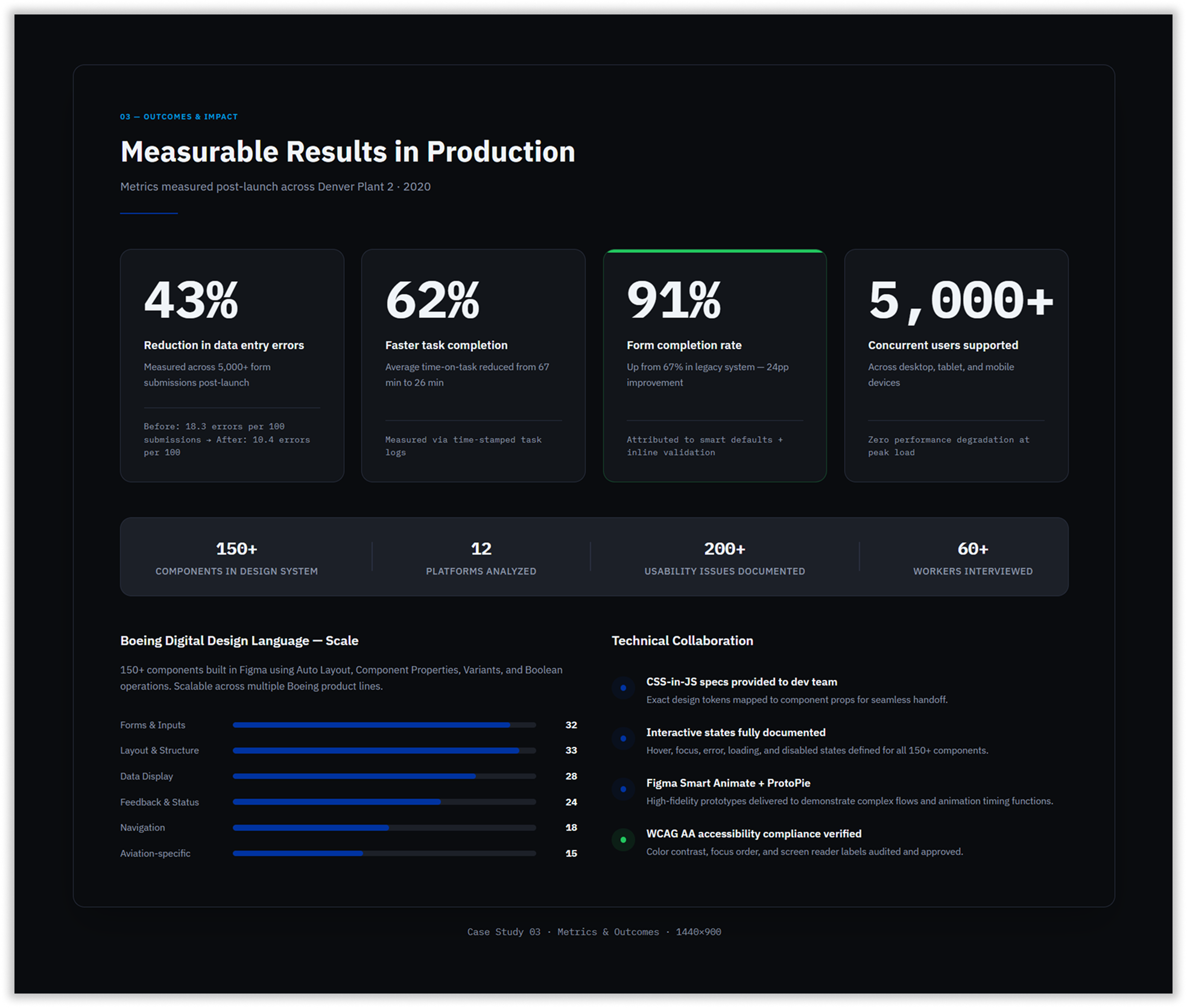
Following launch across Denver Plant 2, the results were measured against the original research baselines:
Form completion rates rose from 67% to 91% — a 24 percentage point improvement attributed directly to smart defaults, progressive disclosure, and field-level inline validation. Data entry errors dropped by 43%, reducing rework cycles and the compliance risk that came with inaccurate production records. Task completion time fell by 62%, with average time-on-task dropping from 67 minutes to 26 minutes per work order.
The Boeing Digital Design Language delivered a system scalable enough to support 5,000+ concurrent users across device classes without performance degradation — and extensible enough to form the foundation for design consistency across additional Boeing internal product lines.
The project demonstrated what happens when enterprise software is designed from the factory floor up: measurable safety, speed, and accuracy improvements that matter not just to the people using the system, but to the aircraft being built with it.